

Most law firms have AI now. Clio's 2026 research found that 75% of small firms and 86% of mid-sized firms use it. Far fewer are getting paid for it. In the same research, AI had increased revenue at 31% of small firms and 39% of mid-sized firms.
Most firms can already log in to a capable model. The gap is the system around it: the firm's knowledge, its way of working, and the people who make AI part of the day.
That system is what we built. North OS is the native Claude Operating System for law firms. It turns Claude into your firm's own. We've written about why access alone falls short in Why Tool Access Isn't Adoption. This post shows what we do about it.
Why a Claude login isn't a Claude implementation
Clio's 2026 research found that many of the most common AI tools at solo and small firms are generic consumer products rather than legal-specific systems. Clio names the cost too: constant re-prompting and no legal context. A lawyer opens a chat, explains the matter, pastes in the document, and does it all again tomorrow.
Much of the legal AI market answers that problem with a wrapper, a product layered over someone else's model and sold as its own tool. At North, we think that's the wrong bet. A wrapper locks you in, and it falls behind the day the model improves. We build on Claude itself, so your firm runs on the latest models.
Still deciding whether Claude belongs in your firm? Start with our guide to Claude for law firms. This post is about what comes after that decision.
What North OS is
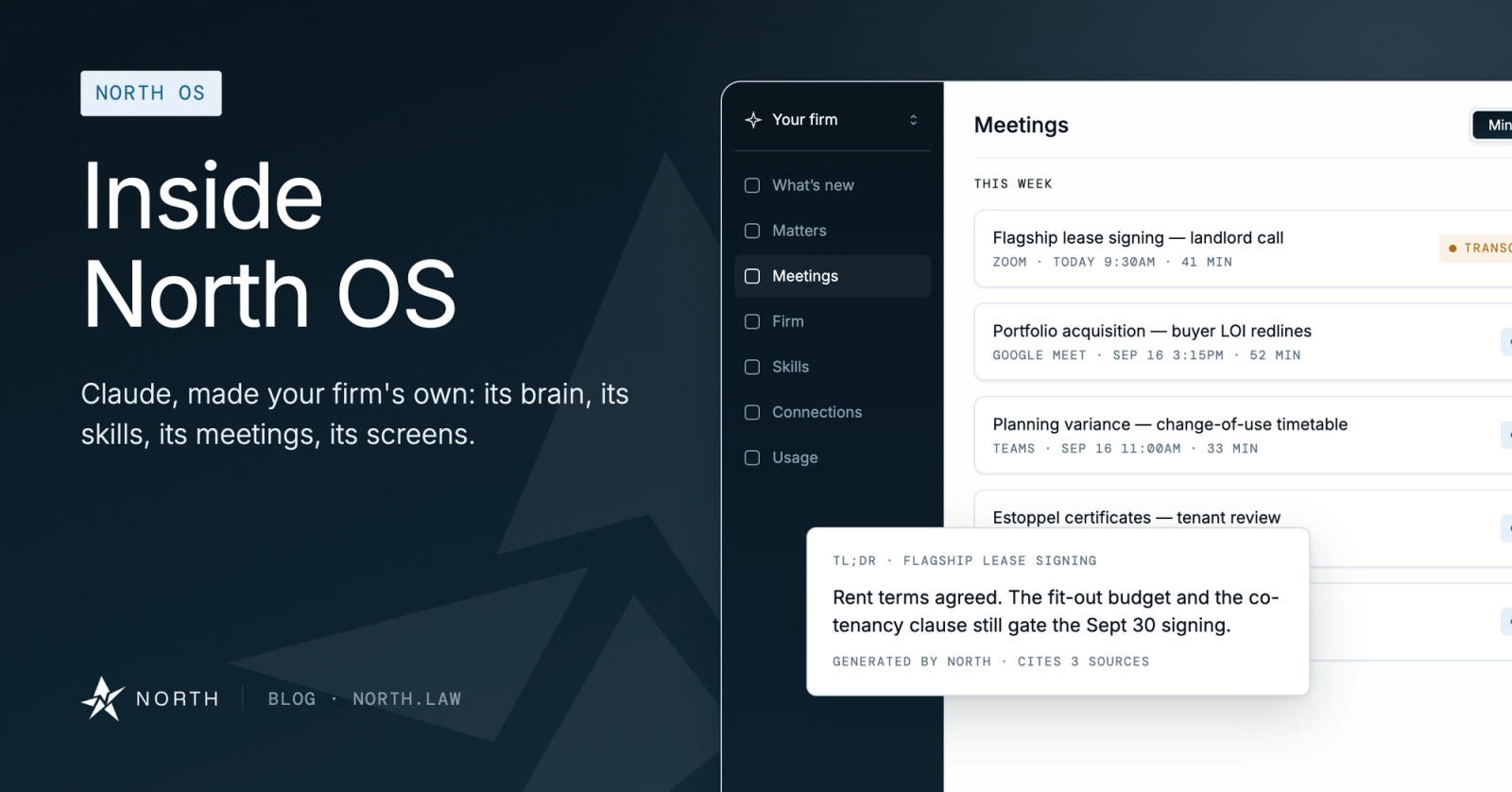
Your lawyers work in Claude. North OS brings the firm into every conversation: your emails, documents, matters, meeting recordings, and skills. Draft, review, prepare, or ask a question, and the context of the practice is already there.
North OS plugs into the tools your firm already runs on, including NetDocuments, Clio, SharePoint, and Outlook. Nothing to migrate. Nothing to re-learn.
Big Law is already building this way. In April 2026, Freshfields rolled Claude out to 5,700 people across 33 offices on its own proprietary platform, connected to the firm's institutional knowledge. A 20- to 100-person firm can't stand up an innovation lab to do the same. With North OS, it doesn't need one. You get the same architecture, built and run for you.
Firm Brain: your firm's memory, connected
The Firm Brain is the core of North OS. It holds five layers together in one living knowledge system:
- Emails: every conversation
- Documents: the firm's corpus
- Matters: people, work, and history
- Meeting recordings: what was said, retained
- Custom skills: your way of working
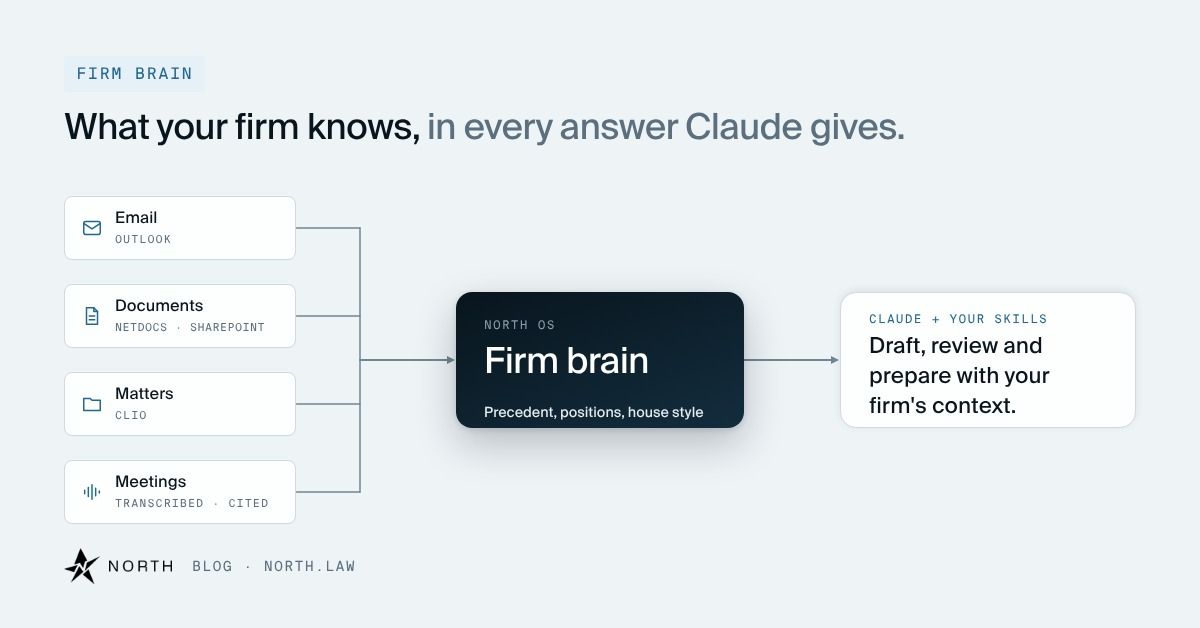
Here's what that looks like on a deal. A partner asks Claude for a client update on a purchase agreement. Instead of a blank chat, Claude works from the emails, documents, and meeting notes the firm already holds on that matter. The partner starts from a draft that cites its sources, and nobody spends twenty minutes rebuilding the background first.
The knowledge stays with the firm. Every matter adds to it, so the brain keeps growing.
Skills built for the work transactional firms actually run
A prompt is an instruction one associate wrote and nobody else can find. A skill is a legal methodology Claude runs the way your firm would: grounded in your documents, cited to source, and governed by you.
Our library covers the work transactional firms repeat every week: closing binders, signature packets, NDA review, diligence indexes, cap tables, and conflict checks. Take NDA Review. It sorts inbound NDAs into green, yellow, and red, so lawyer time goes to the ones that need it. Closing Checklist shows what's actually blocking close, with status, critical path, and days to close.
The library holds more than 200 skills, and every firm we deploy makes it deeper. Your firm can fork any skill or author its own, so your playbook positions and house style are built in. Browse the skills library.
The proactive layer
Most AI waits for a question. Some of North OS works from what's already happening on your matters.
Meetings is the clearest example. Record a call, and North transcribes it and produces a short summary and action items with owners and due dates, with the sources it drew on cited. (Recording and transcription require every participant's informed consent.)
Board Minutes detects upcoming board and committee meetings, prepares in advance, and drafts the minutes in your firm's house format. Closing Checklist tracks what's open as the deal moves, so the status a partner sees is the status of the deal. The interface also has a "What's new" view.
Why the three layers make AI stick
Context, workflow, initiative. The Firm Brain supplies context, and the skills inside it supply workflow. The proactive layer supplies initiative. Take away any one of them and usage slides back to occasional chat.
The layers also feed each other. Every meeting recorded, every matter worked, and every skill run adds to the brain, which makes the next answer better. The system improves the more your firm uses it.
You should be able to see that happen, and North OS includes a Usage view in the interface. Measurement is rare across professional services. In Thomson Reuters' 2026 AI in Professional Services Report, fielded from October to November 2025 across legal, tax, and other professional services, only 18% of respondents said their organizations collect ROI metrics on AI.
Claude implementation for law firms: the part software can't do
North OS ships with people. That's North Deploy.
Our Forward Deployed Legal Engineers come to your office and map where the hours go, in person. We wire North OS into the systems you already run, set up your Firm Brain, and shape skills around your practice. Then we train partners, associates, paralegals, and clerks on the work they actually do.
After rollout, we stay. North acts as your external Chief AI Officer, bringing updates, new features, and custom skills as your firm evolves.
Hirschen Singer & Epstein chose North for its transactional practice. "We're thrilled to be rolling out North across HSE," says Russell A. Kivler. "The system North has built is going to transform how we execute transactions for our clients."
We cover the human side of rollout in Change Management for Law Firms: Why AI Rollouts Fail Even When the Tool Is Good.
Governed by design
North OS runs inside your rules.
- Your access controls. North OS reaches only what your existing permissions allow.
- Cited sources. Every answer cites the source behind it. Here's why citations matter more than confidence scores.
- No training on your data. Your firm's work stays out of Claude's training.
- Lawyers decide. Final judgment stays with your attorneys, consistent with ABA Formal Opinion 512 (July 2024).
Before we connect any firm information, we agree with your team on what is accessible, to whom, and under which controls.
Frequently asked questions
What is North OS?
North OS is the native Claude Operating System for law firms. It connects your firm's emails, documents, matters, meetings, and skills to Claude, so every conversation starts with your firm's context.
We already use Claude. What does North add?
Your firm's context, governed skills for your workflows, and the people to roll it out. A plain Claude login sees only what a lawyer brings to the chat. North OS brings the firm to every chat.
Do we have to replace our current systems?
No. North OS connects to the tools you already use, including NetDocuments, Clio, SharePoint, and Outlook. There's nothing to migrate.
Does Claude train on our firm's data?
No. Your firm's work isn't used to train Claude, and everything runs behind the access controls you already have.
Bring us one workflow
Pick a task your firm does every week. In 30 minutes, we'll map it, show where North OS fits, and outline a path to firm-wide adoption.
Book a call, or watch the video on our homepage first.
Sources
Clio, 2026 Solo and Small Legal Trends Report; Clio, 2026 Legal Trends for Mid-Sized Law Firms; Freshfields, Freshfields and Anthropic team up, April 2026; Thomson Reuters Institute, 2026 AI in Professional Services Report; American Bar Association, Formal Opinion 512, July 2024