

Claude Cowork is Anthropic's agent for delegated work. It reads and writes documents in the folders and connected systems a lawyer chooses, carries a multi-step task through to a finished draft, and hands the result back for review.
Lawyers took to it quickly. When Anthropic launched its legal plugins and connectors in May 2026, it said legal professionals had become "the most engaged Claude Cowork users of any knowledge-work function."
That tells you lawyers like it. It doesn't tell a managing partner weighing AI for transactional law firms what Cowork actually does with a deal file. So we walked one illustrative matter, an asset purchase, from data room to closing checklist. Below is what Cowork handled, what the lawyers kept, and what the firm had to set up before any of it was worth trusting.
What is Claude Cowork for legal work?
Anthropic's own legal guide draws the line plainly: "Chat is for asking questions and working with Claude in the moment," while "Cowork is for delegating a project to Claude and reviewing the result." It's the first distinction a lawyer needs. In chat, a lawyer asks and Claude answers, one turn at a time. In Cowork, the lawyer describes the deliverable, and Claude works through the documents and tools it needs to produce it. The same guide says Cowork "can run for minutes or hours on a single task, with the lawyer reviewing the output once it is done."
The user sets the boundaries. Claude "can only read and write files in folders you've connected," according to Anthropic's help center, and on desktop it works on those files where they sit, with no upload step. Lawyers can have it pause and ask for approval before acting, and it needs explicit permission before permanently deleting any file.
Cowork started on the desktop and has since moved beyond it. Anthropic's Cowork page now says it "runs on desktop, with web and mobile," and its architecture notes say sessions run in Anthropic's cloud by default. The desktop app is what reaches "the folders and applications on your own computer."
Cowork is included on all paid plans: Pro, Max, Ultra, Team, and Enterprise. Multi-step tasks use more of a plan's usage than a quick question, Anthropic notes.
On September 16, 2026, Anthropic began merging Cowork and chat into one Claude, starting with Pro, Max, and Ultra, and later said the unified experience is generally available for Claude Enterprise. Depending on plan and rollout, a lawyer may see a separate Cowork option or a single conversation. Either way, Anthropic says what you could previously only do in Cowork is available from any conversation.
AI for transactional law firms in practice: an asset purchase in Cowork
The matter below is an illustrative composite. No client matter is described. It reflects the shape of a typical mid-size deal, and the capabilities in it are drawn from Anthropic's published materials and our own skill library, configured for this firm.
The firm represents the buyer of a regional distribution business's assets. Seller's counsel has opened a data room of customer, supplier, and real estate contracts and circulated a first draft of the asset purchase agreement. Before the associate starts, the firm has connected the data room and its document management system, installed Anthropic's Corporate Legal plugin, and written its buy-side playbook into a skill.
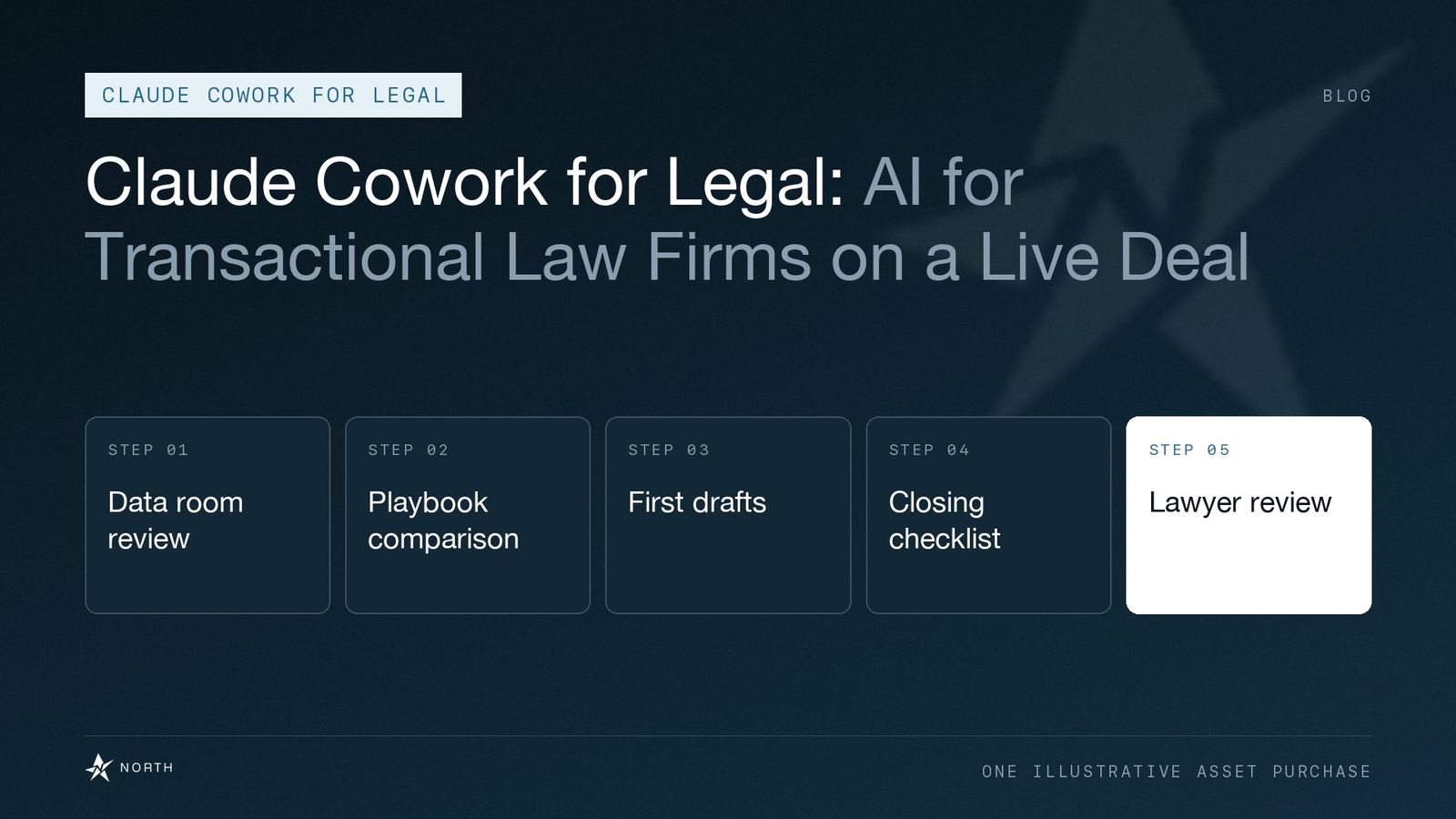
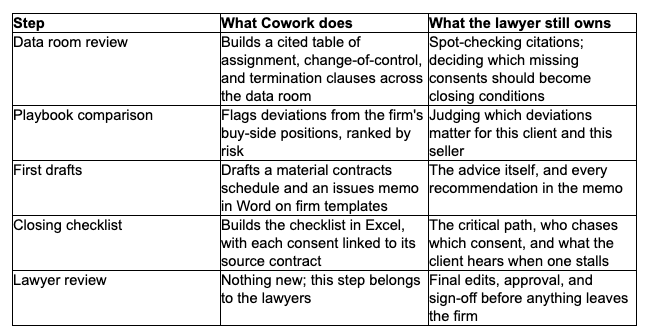
1. Data room review. This is AI due diligence review for M&A at its plainest. The associate points Cowork at the data room and asks for each contract's assignment, change-of-control, and termination provisions. The Corporate Legal plugin's tabular review produces exactly this: one row per document, one column per data point, every cell cited to source, with Excel output. In an asset deal, the assignment column carries the most weight, because a contract that needs counterparty consent won't simply move to the buyer.
2. Playbook comparison. Cowork then reads the seller's draft against the firm's buy-side positions: the indemnity cap and basket, survival periods, the definition of assumed liabilities, the non-compete. It returns the deviations sorted by risk level, each tied to the clause and to the playbook position it departs from.
3. First drafts. Working from the table and the deviation list, Cowork drafts two documents in Word on the firm's templates. One is a schedule of material contracts built from diligence findings (the plugin includes a command for exactly this), which the team sets against the seller's disclosure schedule to catch anything left off. The other is an issues memo to the client, grouped by deal risk.
4. Closing checklist. Cowork builds the checklist in Excel: third-party consents, lien releases, the bill of sale, the assignment and assumption agreement. Each consent item links back to the contract that requires it.
5. Lawyer review. The associate reviews, edits, and approves each document, and the partner signs off on the memo before anything goes to the client. Anthropic's legal plugins are explicit on this point: every output is "a draft for attorney review," and a lawyer "takes professional responsibility for anything that leaves the building."
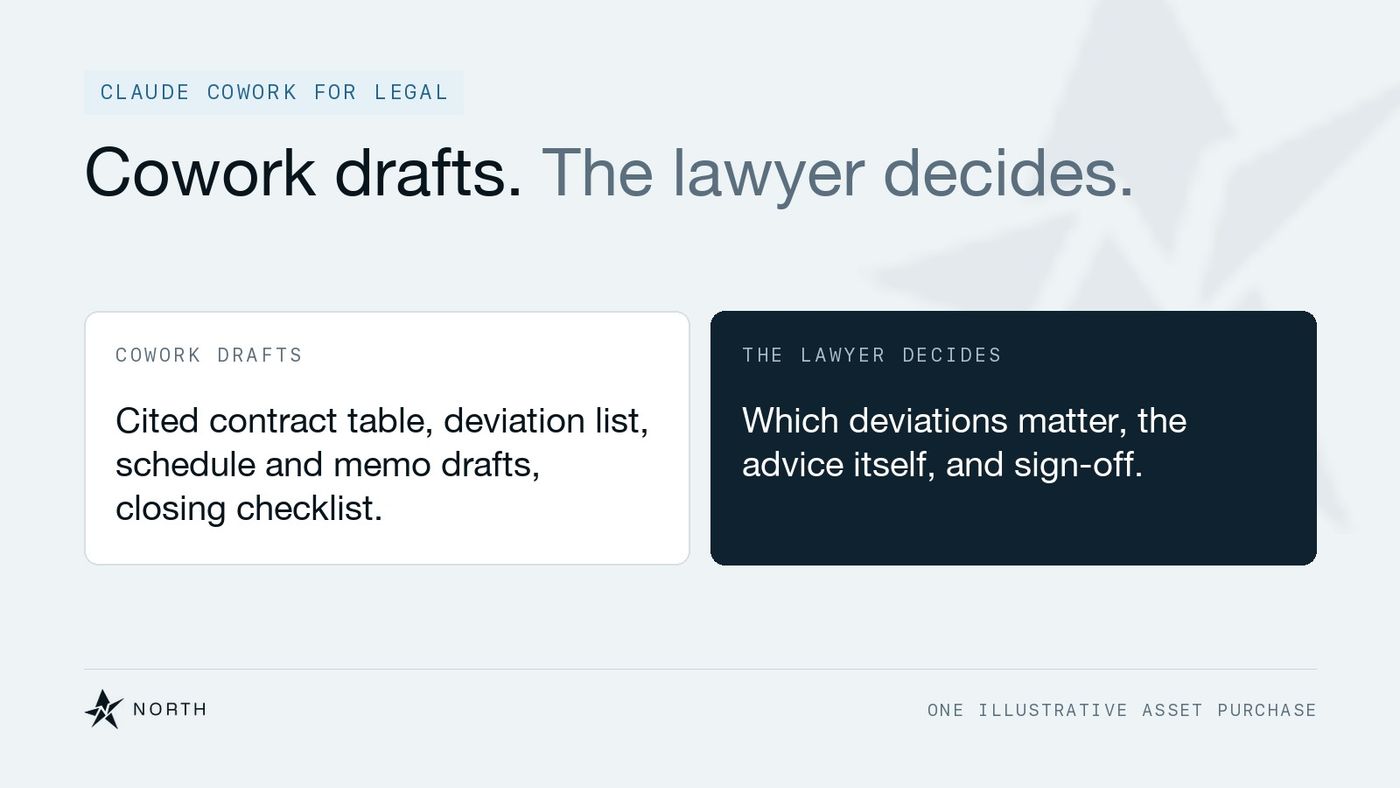
Notice where judgment sits. A 10% indemnity cap might be fine against a seller with a strong balance sheet and unacceptable against one that's winding down. The playbook can't know that. The partner does.
What made it work: plugins, skills, and connectors
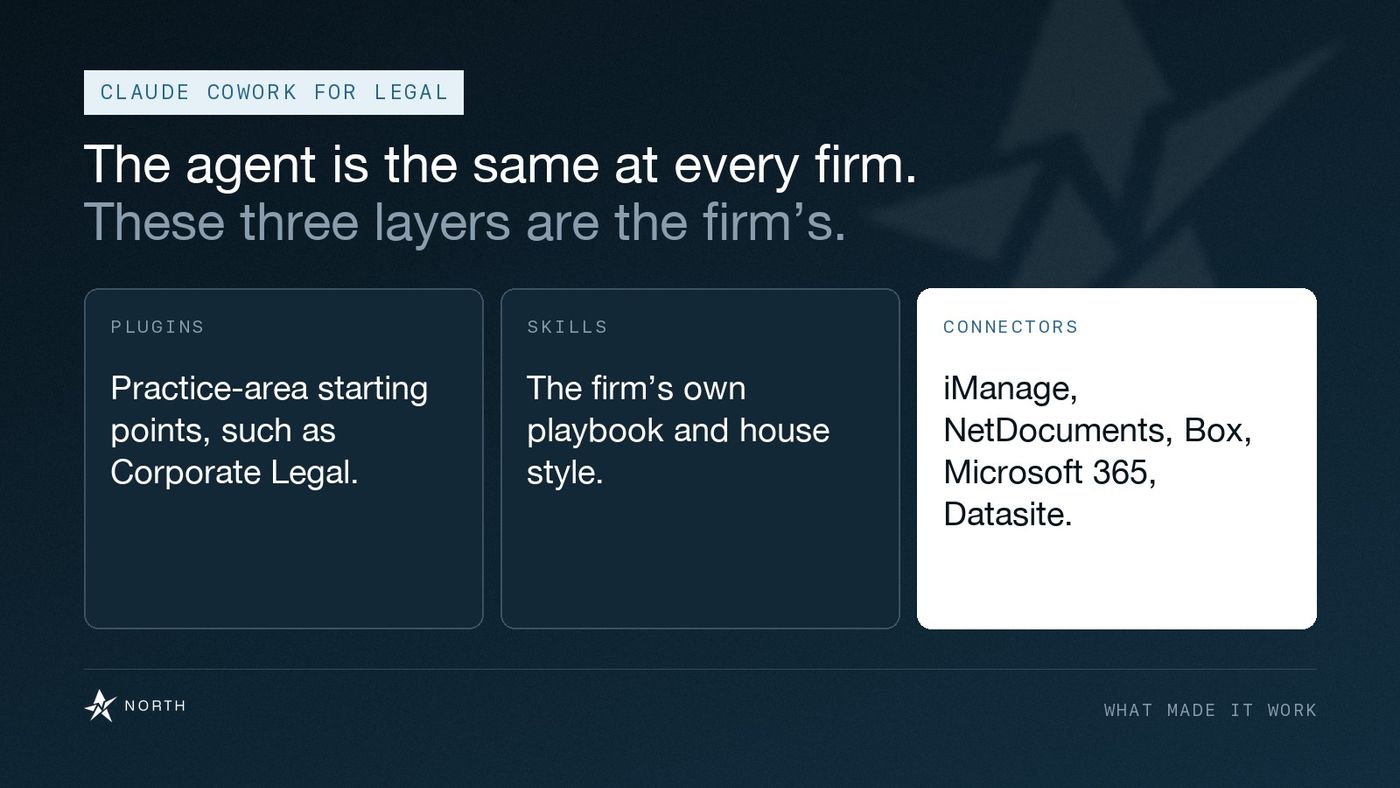
Nothing in that walkthrough needed a special model. It depended on three things the firm put around the agent.
Plugins. Anthropic released 12 legal plugins in May 2026, among them Commercial Legal, Corporate Legal, Litigation Legal, Privacy Legal, and IP Legal, alongside Employment, Product, Regulatory, and AI Governance plugins. They're open source, and each one starts with a cold-start interview that learns the user's playbook and saves it to a practice profile the plugin's skills read. One caution for firms: the Corporate Legal plugin is written for in-house corporate counsel, so a firm using it for client work still has to configure it to its own practice.
Skills. A skill is a packaged method for one repeatable task. Step 2 only worked because the firm's buy-side positions, including the fallbacks partners usually carry in their heads, were written down where Claude could apply them. In our legal AI skill library, for example, Closing Checklist maintains itself, tracking status, critical path, and days to close.
Connectors. A connector lets Claude "query the provider's system directly rather than working off an uploaded copy." Anthropic lists iManage, NetDocuments, Box, and Microsoft 365 among the services Cowork can call. Its legal connectors also cover Datasite for deal rooms, Docusign, Ironclad, Relativity, Everlaw, and Thomson Reuters' CoCounsel Legal, which draws on Westlaw.
Where firms get stuck
The stalls we see rarely come from the agent itself.
- No playbook in a skill. Without the firm's positions written down, Cowork compares a contract against general market practice. The output reads as though a capable stranger wrote it. In our experience, partners stop reading it closely.
- The document system was never connected. Lawyers download copies from iManage or NetDocuments and drag them into a folder. It's slower, it leaves stray copies of client documents on laptops, and it breaks the link between a finding and the file of record.
- Permissions at either extreme. Open everything and nobody can say what Claude touched. Require approval for each keystroke and lawyers give up on it. Defaults differ by plan: Auto is the default on Pro, Max, Ultra, and Team, and Manual on Enterprise, so a firm should choose deliberately. Anthropic's own safety guidance points to the middle: a dedicated working folder in place of broad access, and manual approval when a task touches sensitive files.
- No training on the firm's own work. A few curious associates learn which folders to connect and when to approve an action. Everyone else waits to see whether it's worth learning.
In our experience, training is the gap that decides whether the rest gets used. Access to Cowork doesn't change how a firm runs a diligence request; lawyers practicing on their own files does. We've covered how to structure that in Claude Training for Law Firms: How to Turn Access Into Adoption.
Confidentiality and control
Cowork takes real actions on real files, so its controls deserve a look before client documents are involved.
- Scope. Claude works only in the folders and tools a user connects. Anthropic's legal connectors for iManage, NetDocuments, and Box work under the source system's permissions; Anthropic describes its iManage connector as providing "permission-bound, auditable access to governed iManage content."
- Admin controls. On Team and Enterprise, admins "set access by team, manage spend limits, and control tool permissions by department," and owners can turn Cowork off for the whole organization. Enterprise adds groups and custom roles, so a firm can enable it for specific teams first.
- Monitoring. Team and Enterprise owners can stream Cowork events to a SIEM through OpenTelemetry, including whether an action was approved, rejected, or allowed automatically. Anthropic says this doesn't replace audit logging for compliance; on Enterprise, Cowork sessions are captured in the Compliance API.
- Where it runs. Anthropic's architecture overview says Cowork sessions now run in the cloud by default, on Anthropic's servers and outside a firm's endpoint security tools. Anthropic's Cowork page also points to Claude access through a firm's own cloud provider: Amazon Bedrock, Google Cloud, or Microsoft Foundry.
How we prepare a firm for Cowork
When we set up Claude Cowork for law firms, our Forward Deployed Legal Engineers start on-site, mapping how the firm actually works beside the lawyers who'll use Claude.
The rest follows the gaps above. We build the firm's playbooks into custom skills in its house style, so a playbook comparison like step 2 measures against the firm's positions and not the market's. We connect the systems the firm already runs, from document management to email and practice management, with access limited to what each lawyer can already see and ethical walls respected. We train lawyers inside live matters. Then we stay on as the firm's external Chief AI Officer, handling model updates, new skills, and a monthly read on adoption.
The full sequence is on our Claude implementation for law firms page.
Frequently asked questions
What is Claude Cowork?
Anthropic's agent for delegated, multi-step work. A lawyer describes the deliverable, Claude works across the folders and connected systems the lawyer has chosen, and the result comes back for review. Anthropic is now merging Cowork and chat into one Claude experience.
Is Claude Cowork safe for confidential client documents?
It can be used responsibly with the right plan and setup: scoped folders, connectors under existing permissions, approval settings, admin controls, and lawyer review of each output. Anthropic's own guidance says to avoid granting access to local files with sensitive information, one more reason to work through connected systems. The firm still has to assess its confidentiality duties.
Which Claude plans include Cowork?
All paid plans: Pro, Max, Ultra, Team, and Enterprise. Organization-wide admin controls and OpenTelemetry monitoring start at Team. We cover the plan decision in Claude Enterprise for Law Firms: Which Plan Your Firm Actually Needs.
Does Cowork work with iManage and NetDocuments?
Yes. Anthropic lists both among the services Cowork can call, alongside Box and Microsoft 365, and describes both connectors as respecting the firm's existing permissions.
Cowork vs. Claude chat: which should lawyers use?
Both. Anthropic's guide suggests chat for quick questions through the day and Cowork for matter-level work a lawyer hands off and reviews. As the two merge, Claude can decide which tool a task needs, so the choice matters less than the setup behind it.
Is your firm ready for Cowork?
Pick a matter type that keeps coming back to your desk. In a Cowork readiness session, we'll look at where its documents live, which playbook positions a skill would need, and which controls should be set first, so you can judge what Cowork would do on your own work before it touches a client file. Book a Cowork readiness session with North.
Claude is a product of Anthropic. North is an independent deployment partner.
Sources: Anthropic, Claude for the legal industry, May 12, 2026; Anthropic, Product overview, Claude for the legal industry (accessed November 2026); Anthropic, Claude Cowork product page (accessed November 2026); Claude Help Center, Get started with Claude Cowork; Anthropic, Claude Cowork and chat are now one Claude, September 16, 2026, updated October 23; Claude Help Center, Claude Cowork and chat are one Claude; Anthropic, claude-for-legal plugin repository, GitHub and Corporate Legal plugin; Claude Help Center, Use Claude Cowork safely; Claude Help Center, Use Claude Cowork on Team and Enterprise plans; Claude Help Center, Monitor Claude Cowork activity with OpenTelemetry; Claude Help Center, Claude Cowork architecture overview