

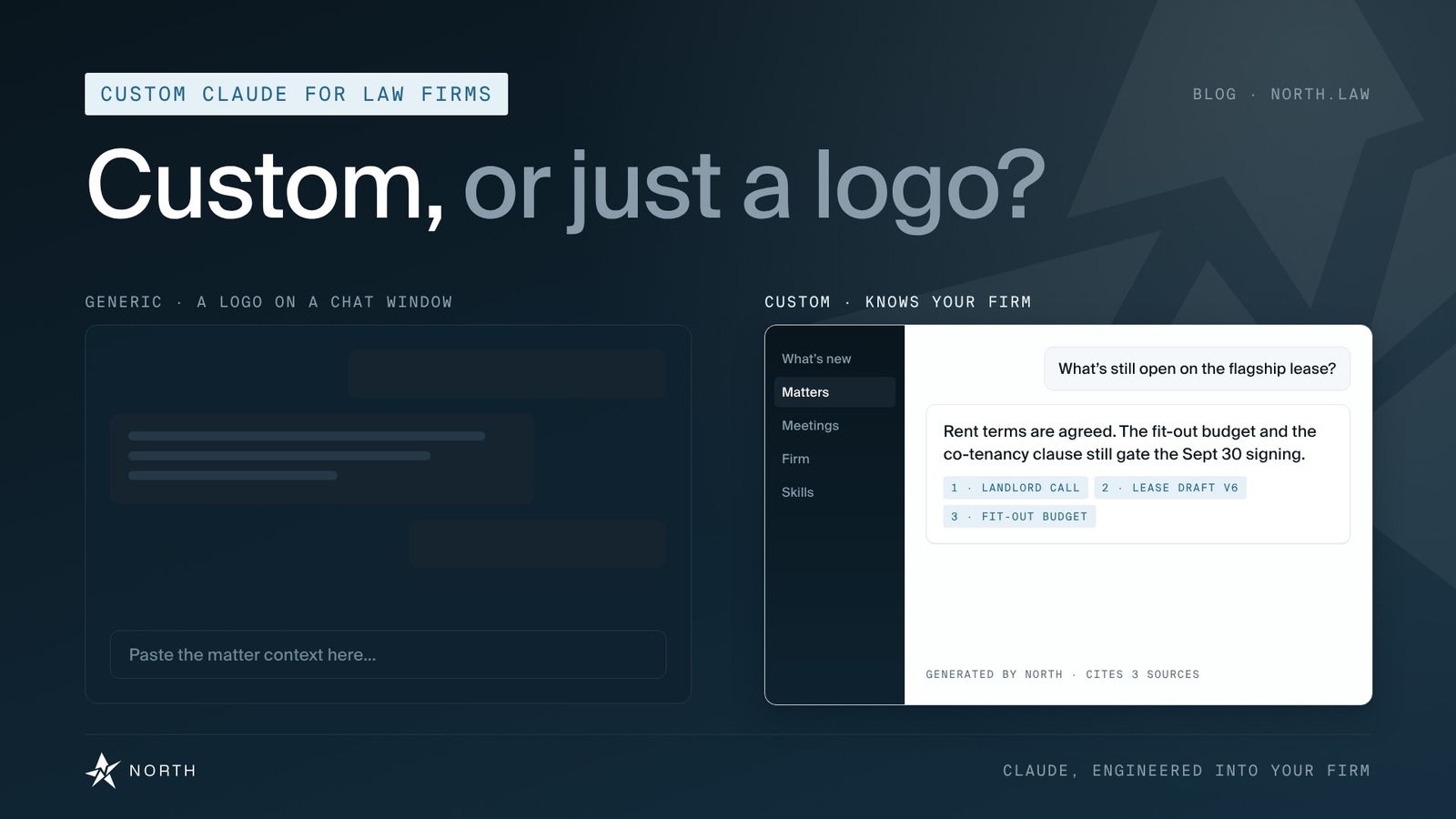
Every legal AI vendor says its product is customized for law firms. Ask what that means, and the answer is often a logo on a chat window and a few saved prompts.
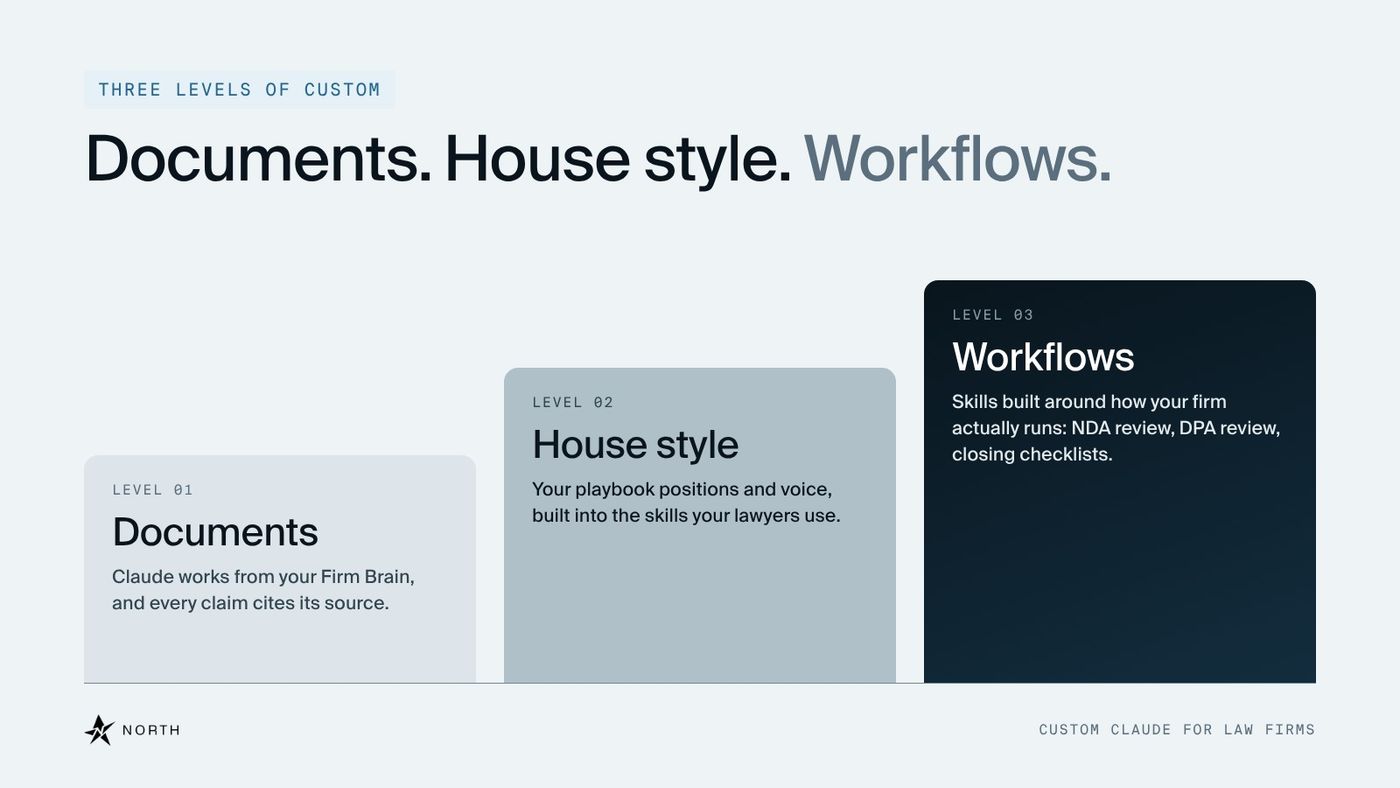
At North, we think "custom" should be something you can test. A custom Claude for law firms knows your documents, writes in your house style, and runs your workflows the way your lawyers already do. That bar is the same for a 20-lawyer transactional boutique and a mid-size firm with several practice groups.
Below, we define those three levels, explain what pricing tells you about a vendor's version of custom, and give you five questions to ask any vendor, including us. Then we answer two of them ourselves.
Why "custom" stopped meaning anything
The word is everywhere because it's easy to claim. A demo built on sample documents looks good no matter what's underneath. The real difference shows up three months in, on your own matters, when the output either sounds like your firm or doesn't.
Access to the model is no longer the hard part. Since Anthropic launched Claude for Legal in May, any firm can buy the same Claude the largest firms use. (We break down what's inside it in Claude for Legal: What It Is and How Law Firms Actually Use It.) What separates one firm's results from another's is what Claude knows about the firm.
That's why custom AI for law firms has to be measured against your firm's own material. We covered why we build on Claude itself in Claude for Law Firms: Use Cases, Security, and Implementation. This post is about what happens next, when Claude meets your practice.
Level 1: Does it know your documents?
The first test is simple. Does the system already know your firm, or does a lawyer have to paste in the context every time?
In North OS, Claude works from your Firm Brain: your emails, documents, matters, meeting recordings and custom skills, connected in one place. Ask about a matter and Claude works from the people, documents and history the firm already holds on it. Every claim cites its source, so the lawyer can check it against the document.
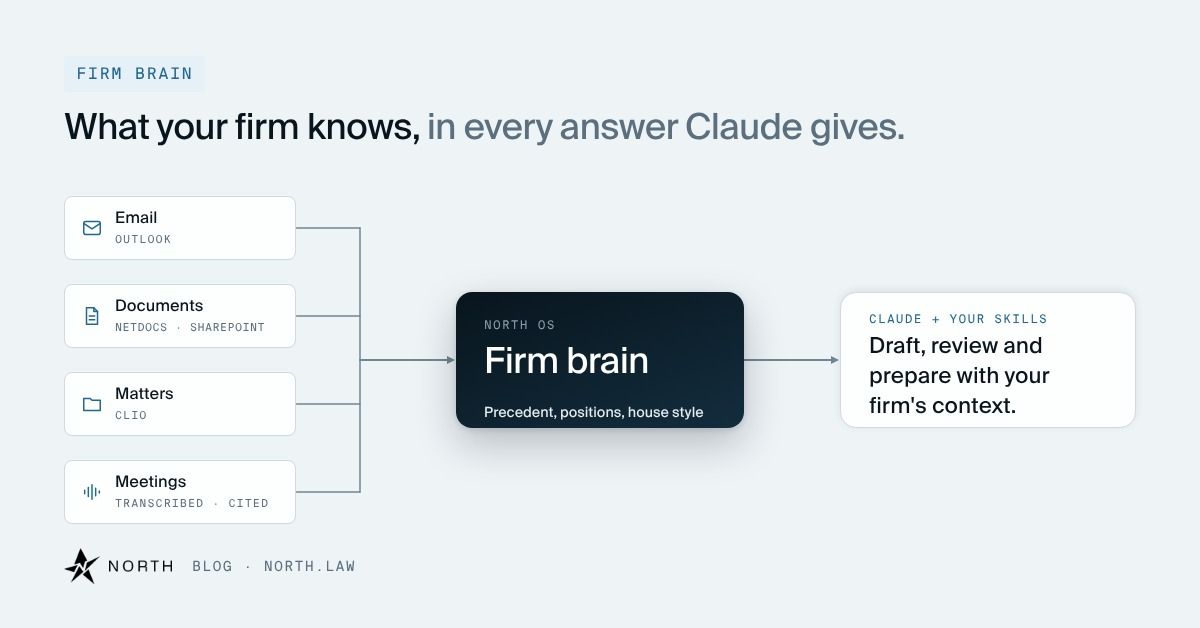
One way to check: pick a matter your firm closed last year and ask a question only someone who worked on it could answer. If the system needs the file pasted in first, it doesn't know your documents yet.
A tool that has to be told everything, every time, hands the context-building back to your lawyers. Every re-explained matter is time the tool was bought to save. We go deeper on the Firm Brain in Inside North OS.
Level 2: Does it write like your firm?
This is where vendors blur the line, so we'll be precise about what we can stand behind. Claude does not train on your firm's data. We customize it by configuring what it works from.
Your playbook positions and house style are built into the skills your lawyers use. Claude draws on that material every time it drafts. It sounds like your firm because it's working from your firm's own playbook.
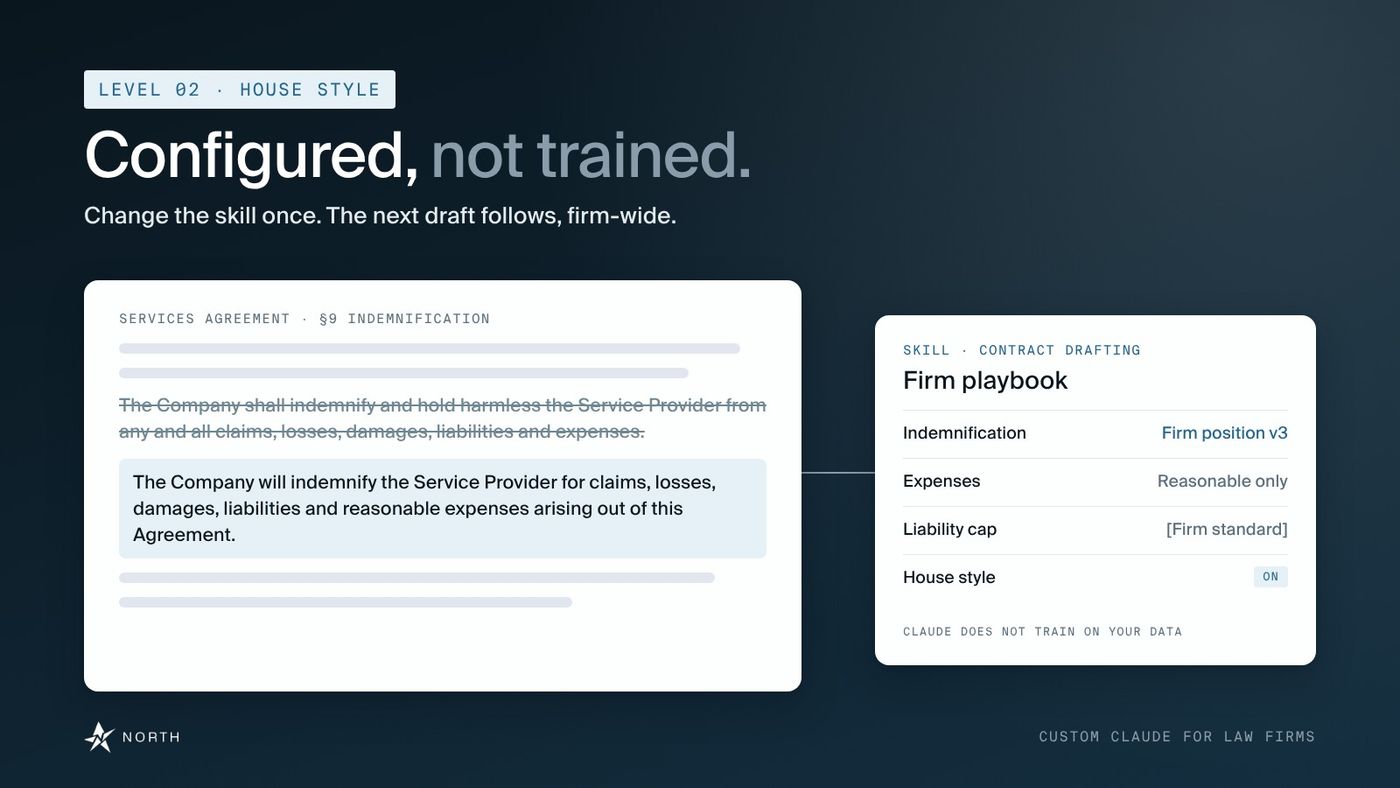
Configuration also means you can change it. Say your firm updates its standard indemnification language next quarter. We update the skill, and the next draft reflects the new position, for every lawyer at once. The position your firm approved is the one Claude drafts from.
Level 3: Does it run your workflows?
Knowing your documents and sounding like your firm still leaves the work itself. The third level is skills built around how your firm actually operates.
Generic contract review flags generic issues. Our NDA Review skill sorts inbound NDAs into green, yellow and red, so lawyer time goes to the ones that need it. DPA Review checks a data processing agreement against your firm's playbook positions. Closing Checklist shows what is actually blocking close on your deal. Real estate groups use Lease Abstraction; M&A teams use Tabular Review for diligence, with every cell cited.
The library holds more than 200 skills, and your firm can fork any of them or author its own. Browse the skills library.
The test at this level is ownership. When a partner wants a skill to work differently, ask who changes it, how long that takes, and whether the change reaches the whole firm or only the person who asked. A skill nobody knows how to use is shelfware, which is why our Claude training for law firms runs on these same skills, using your own files.
Who does the customizing?
None of this happens out of the box. Someone has to learn how your firm works and build it in. That is the real work of Claude implementation for law firms, and it's the first question to put to any Claude deployment partner: who, specifically, is doing it?
At North, it's our team of Forward Deployed Legal Engineers, working in your office. The same question applies if your firm already licenses Claude Enterprise. The license gives you the model. Someone still has to connect your systems, encode your positions and build your skills.
What the pricing tells you
Per-seat pricing sells access, and it tells you what the vendor thinks the product is. You pay for each lawyer who can log in, and the product is often the same for every firm that buys it. Whatever customization exists tends to happen on your side, one prompt at a time, by whoever has the patience to write them. That can work for a firm that only wants a better chat window.
Pricing that includes implementation work sells something different: hours spent learning your templates, connecting your systems and building skills that only make sense at your firm. If "custom" is in the pitch but nothing in the price pays for anyone to do the customizing, ask where that work is supposed to come from.
A useful follow-up: ask what the vendor will do in your first month that it wouldn't do for any other firm.
Our own pricing is scoped to your firm's size, systems and priorities, and outlined before any commitment, because the work is different at every firm.
What it costs to get "custom" wrong
The cost doesn't show up on day one. It shows up as review time. Lawyers fix drafts that miss the firm's positions. They re-explain matters the tool should already know. Eventually, they stop using it. That's the gap between tool access and adoption.
The research points the same way. In Thomson Reuters' Future of Professionals Report 2026, 66% of professionals at organizations with a clear AI strategy said AI met or beat expectations, against 22% where there was none. And the 8am 2026 Legal Industry Report found 54% of legal professionals say their firm offers no training on responsible AI use and has no plans to. A generic tool with no one configuring it is how firms end up in both numbers.
A configured system gives you a lever. If the house style isn't landing, we adjust the skill and the next output changes. That lever is the thing to look for in any vendor's setup, along with how fast it can be pulled. Keeping it pulled is change management, not a one-time setup.
Five questions to test any "custom" claim
- Will you run it on our document? Bring an approved, representative sample, redacted if needed. Watch the system work on your material, not the vendor's demo file.
- Does it sound like us? Ask for a draft in your house style. Compare it with something your best associate wrote.
- Who builds and maintains it? Ask who does the configuration, what legal experience they have, and how your lawyers take part.
- What happens when the model improves? Ask how quickly you get new Claude models, and who retests your skills when they arrive.
- Where's the source? Every claim should cite back to a document. Then check that the source says what the output claims. Here's why citations matter more than confidence scores.
Our answers to two of them. Who builds it: our Forward Deployed Legal Engineers, on-site, alongside a small group at your firm. Where's the source: every claim in North OS cites the document it came from.
Frequently asked questions
What is custom Claude for law firms?
Claude connected to your firm's documents and matters, configured with your playbook positions and house style, and equipped with skills for your workflows. At North, we build and maintain all three, on-site.
Is custom AI for law firms different from Claude for lawyers?
Claude for lawyers is the model. Custom AI for law firms is that model connected to your documents, configured to your positions and given skills for your workflows.
Does Claude train on our firm's data?
No. Claude does not train on your firm's data. We customize it by configuring the sources and skills it works from, and work runs behind your firm's own access controls. More on security in Claude for Law Firms: Use Cases, Security, and Implementation.
Can Claude learn our firm's style?
We configure Claude with your playbook positions and house style through the skills your lawyers use, so it writes the way your firm writes and can be updated when your standards change.
Is custom Claude only for small firms?
No. The three levels are the same at any size. A mid-size firm usually has more practice groups, more systems to connect and more positions to encode, so the implementation plan covers more ground. See AI for Law Firms: A Practical Guide to Firm-Wide Implementation.
How long does customization take?
The timeline follows your systems and priorities. We work alongside a small group at your firm, start with the first workflows and agree on the plan together.
Test it on your own document
Send us a document your firm marked up recently. On a 30-minute call, we'll walk through that workflow with Claude configured to your positions. Book a call